WA PRIVACY SCREEN
WhatsApp Web, without the audience.
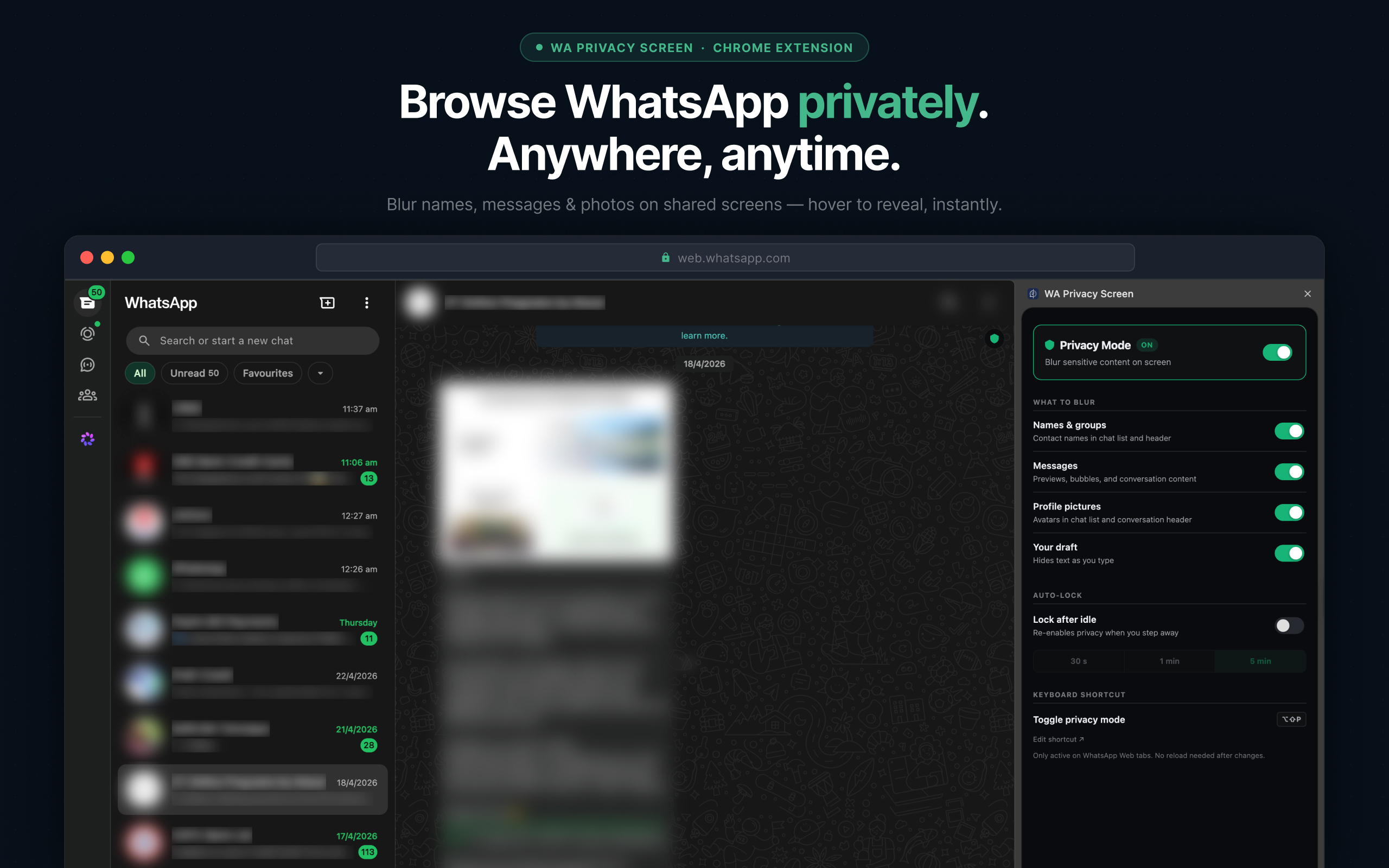
A screen-privacy extension for WhatsApp Web. Blur your conversations when you're not alone — hover to read, move away to re-blur.
Instant toggle
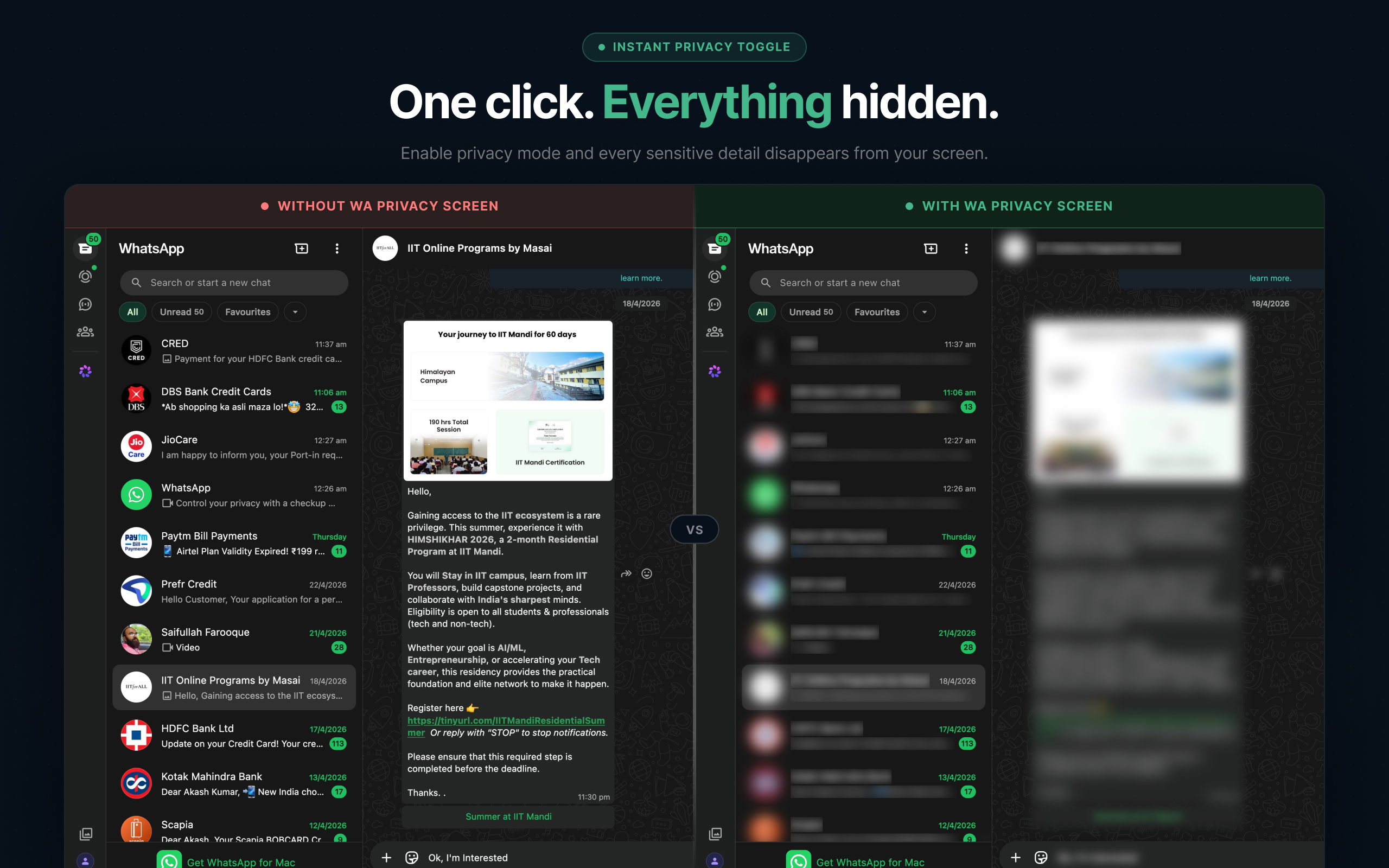
One click. Everything hidden.
Enable Privacy Mode and every sensitive detail — names, messages, profile pictures — disappears from your screen at once. Disable it when you're alone and everything reappears instantly. No page reload required.
Hover to reveal
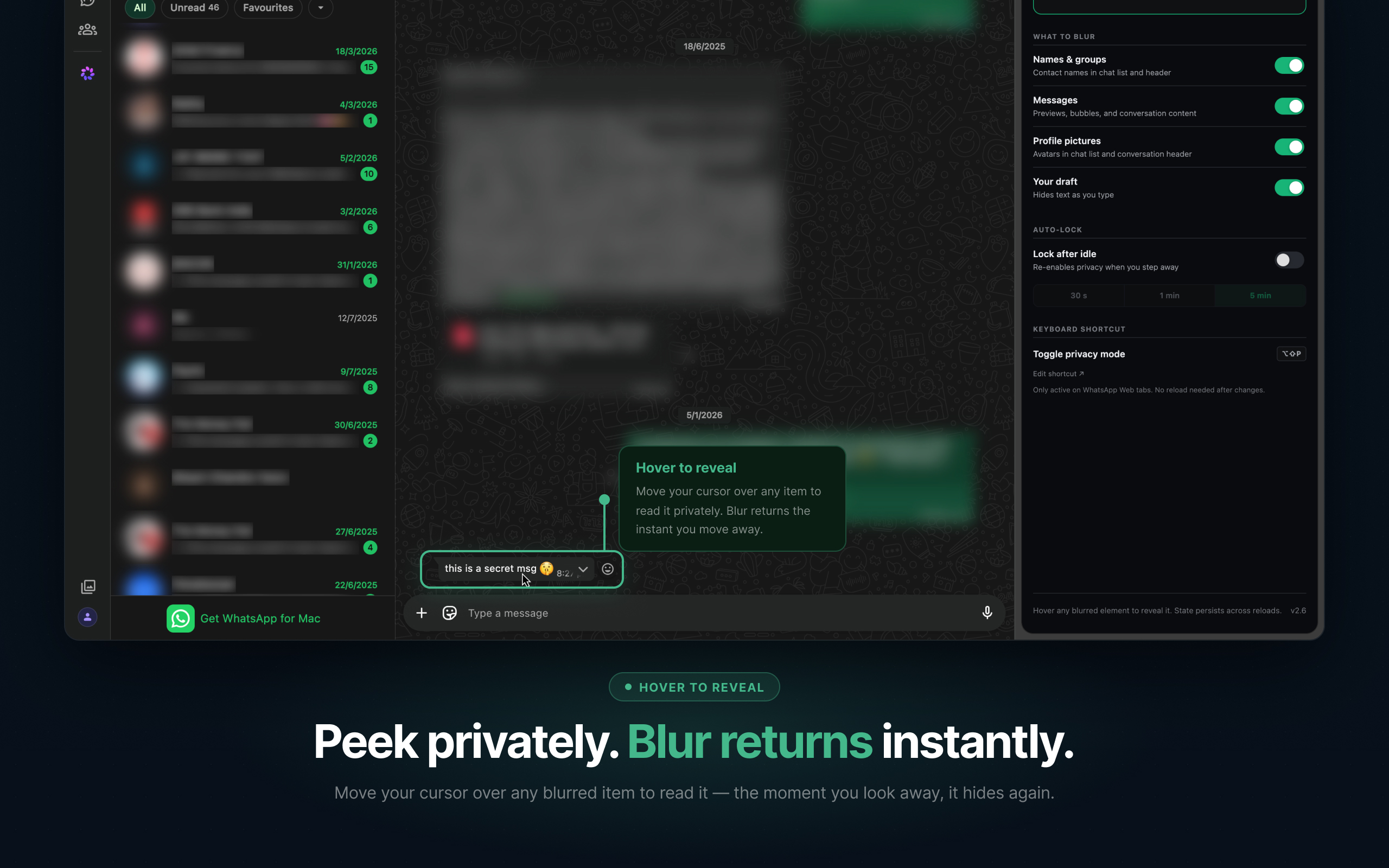
Peek privately. Blur returns instantly.
Move your cursor over any blurred element to read it. The moment you look away, it hides again. No clicks, no toggles. Fully keyboard-accessible: Tab to focus, blur lifts automatically.
Granular controls
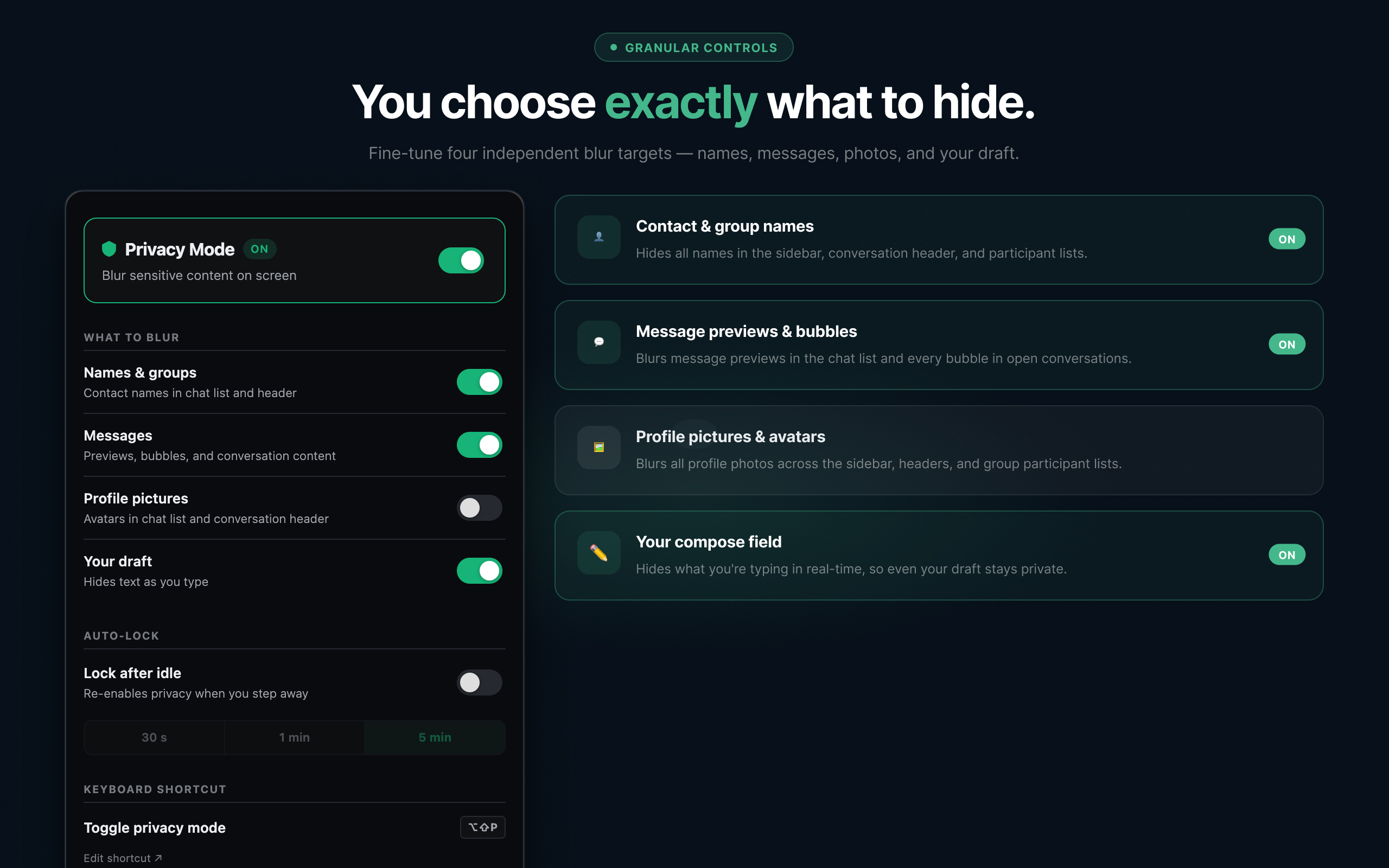
You choose exactly what to hide.
Four independent blur targets — contact and group names, message previews and bubbles, profile pictures, and your compose field. Enable all four or just the ones that matter. Every change is instant.
Privacy by design
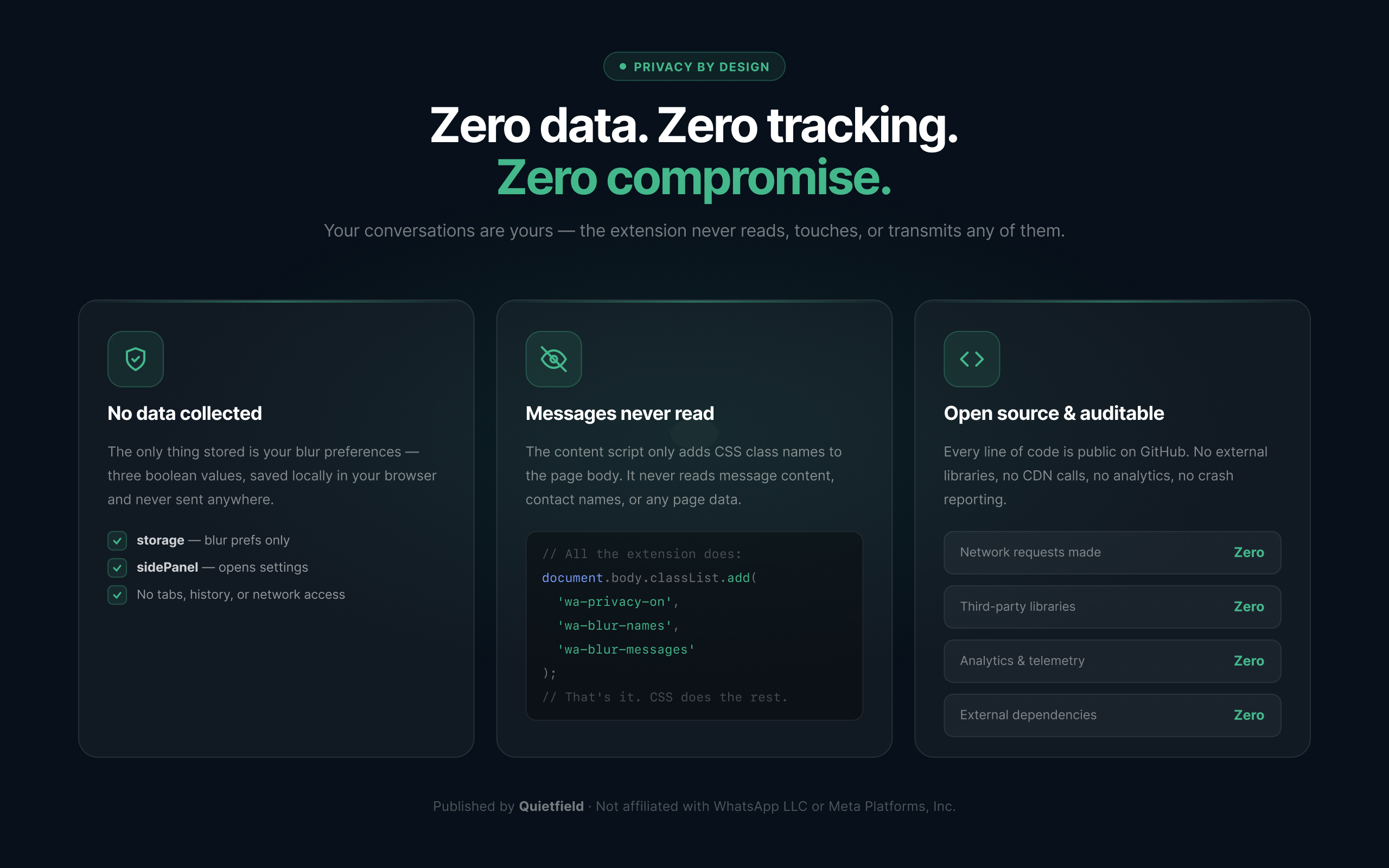
Zero data. Zero tracking. Zero compromise.
The content script adds a CSS class to the page body — that is all it does. It never reads message text, contact names, or any WhatsApp content. The only data stored is your blur preferences: three booleans, locally in your browser, never transmitted anywhere.
HOW IT WORKS
The extension runs entirely in your browser. It adds CSS blur filters to the WhatsApp Web page — covering four targets: contact and group names, message previews and chat bubbles, profile pictures, and the draft input field. Hover over any blurred element to read it; move your cursor away and it blurs again. An auto-lock timer re-blurs everything after a set interval, so stepping away from your desk doesn’t leave your conversations visible.
Toggle blur on or off with a single click on the extension icon — or with the keyboard shortcut Alt+Shift+P without leaving the page. Each of the four blur targets can be enabled independently, so you can hide names and photos without touching message content, or blur only what matters in your specific situation.
Nothing in the extension touches your messages in transit. It does not intercept network requests or modify anything sent to WhatsApp’s servers. The only data it writes is your blur preferences and chosen timeout — three small values stored locally in your browser, never transmitted anywhere.
WHAT IT DOES NOT DO
- It does not read, copy, or transmit any content from your WhatsApp conversations.
- It does not modify anything sent to or from WhatsApp's servers.
- It does not require an account, login, or any connection to Quietfield.
WhatsApp is a trademark of WhatsApp LLC. Quietfield is not affiliated with, endorsed by, or sponsored by WhatsApp LLC or Meta Platforms, Inc. The name 'WhatsApp' is used here descriptively to identify the service that WA Privacy Screen modifies.